
Trying to figure out what you should write about on your website?
You don’t always need an expensive SEO tool or a complicated keyword research strategy to get started.
One of the best places to find content ideas for your website/business is: Google Search Console.
Google Search Console shows the number of searches when your website appears in the search results.
Inside that data can be some great opportunities for new pages, blog posts, FAQs, and other content.
What Is Google Search Console?
Google Search Console is a free tool from Google that helps website owners understand how their website performs in search.
It can show you:
- Which pages are receiving organic search traffic
- How many times your pages appeared in Google
- How many clicks your website received
- Your average search position
One of my favorite ways to use Google Search Console is to find where Google is already showing your website, but your website doesn’t have a page “answering” that search yet.
Those searches can be excellent opportunities for new content.
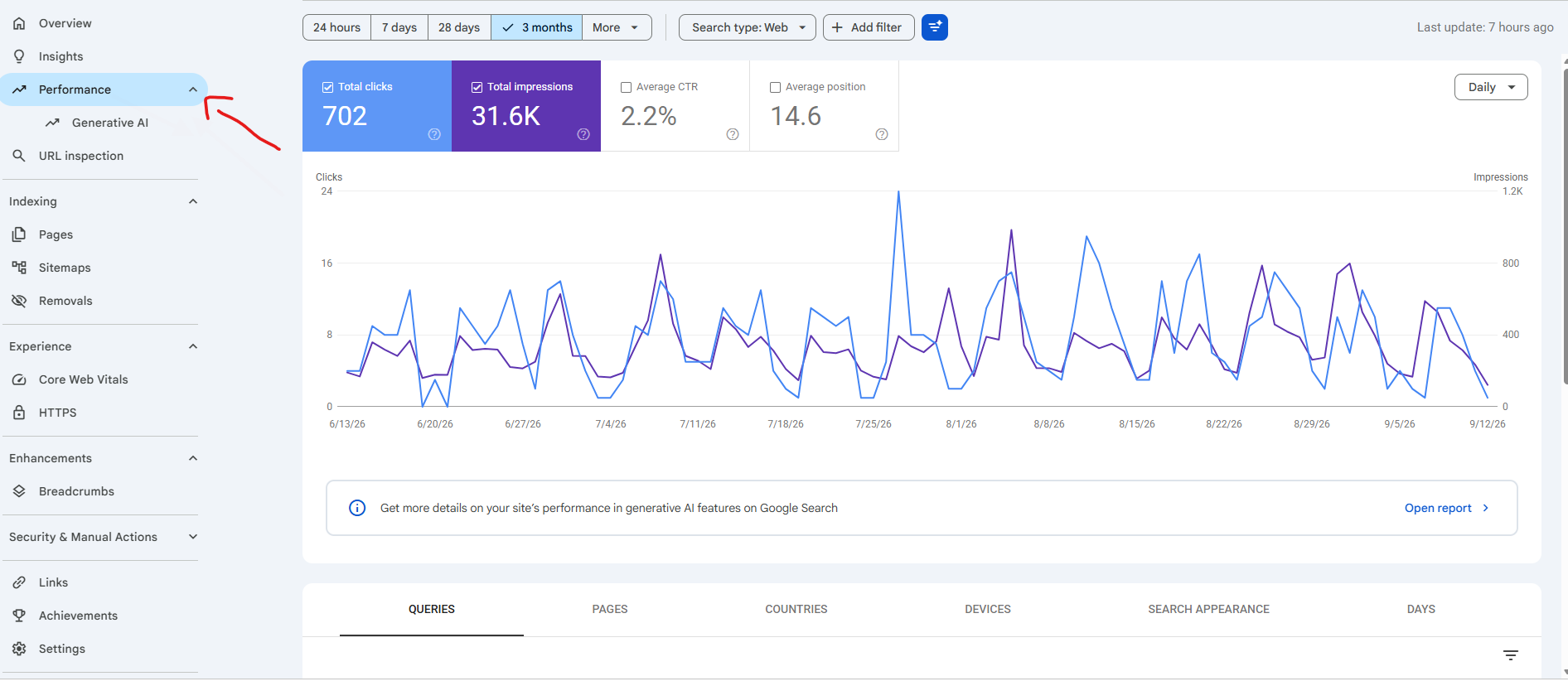
Step 1: Open the Google Search Console Performance Report
Log into Google Search Console and select your website.
Then go to:
Performance → Search Results
You’ll see several important SEO metrics, including:
- Total Clicks: How many times someone clicked your website from Google.
- Total Impressions: How many times your website appeared in Google’s search results.
- Average CTR: The percentage of impressions that resulted in a click.
- Average Position: Approximately where your website appeared in the search results.
When using Google Search Console to find new content ideas, pay particular attention to impressions, clicks, and average position.
Step 2: Review the Search Queries
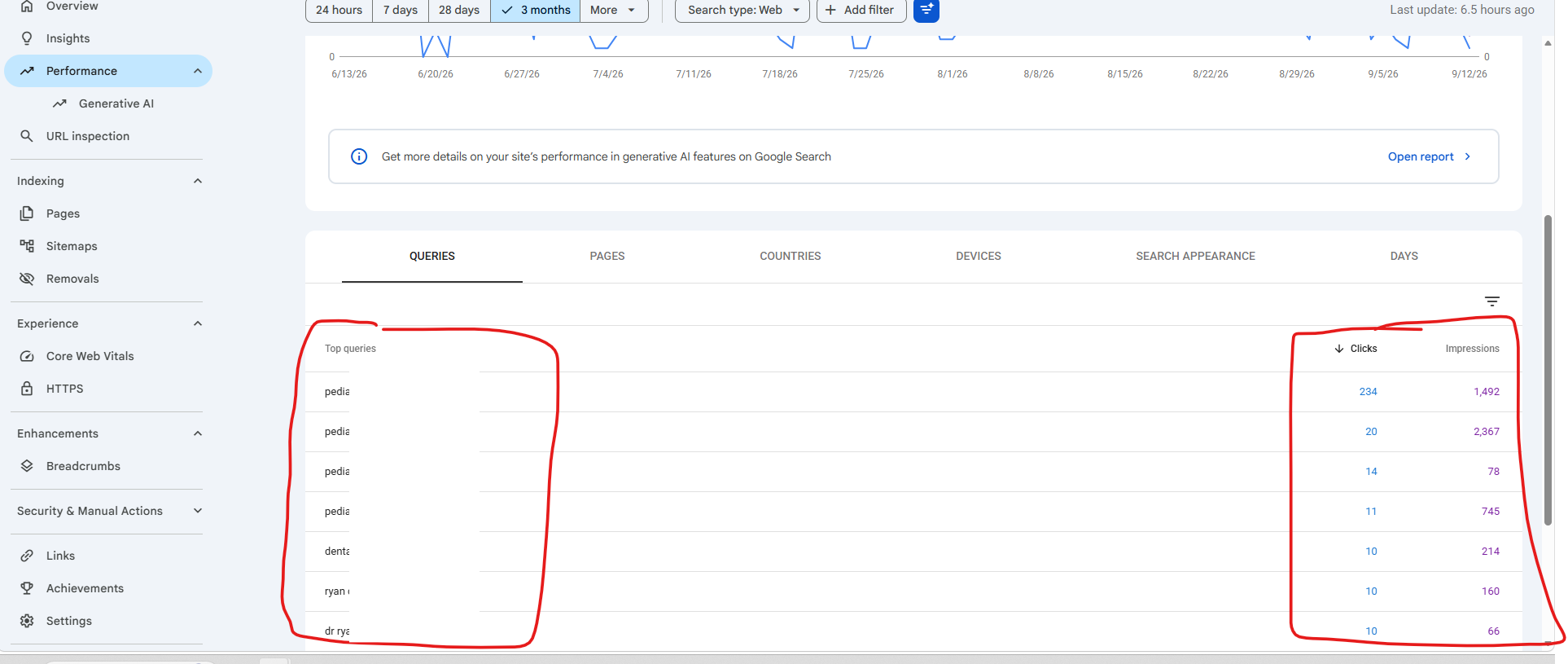
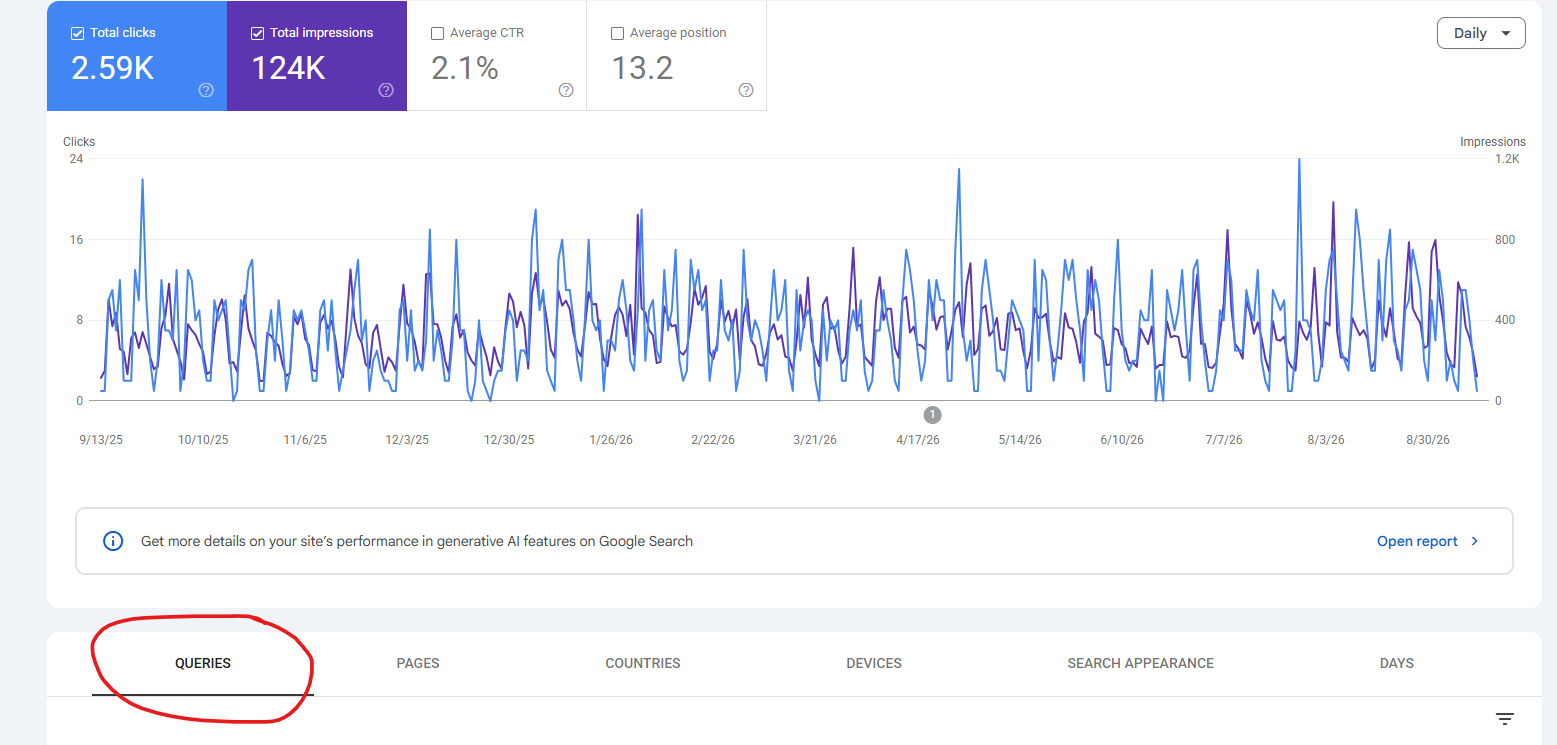
Scroll down in the Performance report and select the Queries tab.
You’ll see searches that people typed into Google that caused your website to appear in the results.
Some of these searches will be obvious.
For example, if you’re a plumber in Philadelphia, you might see searches such as:
- plumber Philadelphia
- emergency plumber near me
- water heater repair Philadelphia
But keep looking through the report.
You may start finding searches related to questions, problems, or topics that you haven’t specifically addressed on your website.
Those are the queries we’re looking for.
Step 3: Find High-Impression Keywords That Aren’t Ranking Well
A keyword doesn’t have to be generating a lot of clicks to be valuable.
In fact, some of the best content opportunities can be queries receiving a lot of impressions but very few clicks.
Imagine Google Search Console shows that your website is appearing for:
“how long does a water heater last”
And the data shows:
- 2,100 impressions
- 18 clicks
- Average position: 11.8
Google is already showing your website for that search even though you may not have a page specifically focused on the topic.
That’s Google giving you a clue that your website already has some relevance for the subject.
The next step would probably be to create an article such as:
How Long Does a Water Heater Last? Signs It’s Time to Replace Yours
Now you’re creating content based on real search data from your own website instead of simply guessing what people may be searching for.
Step 4: Check Which Page Is Currently Ranking
Before creating a new article or page, find out why your website is already appearing for that search.
Click the query inside Google Search Console.
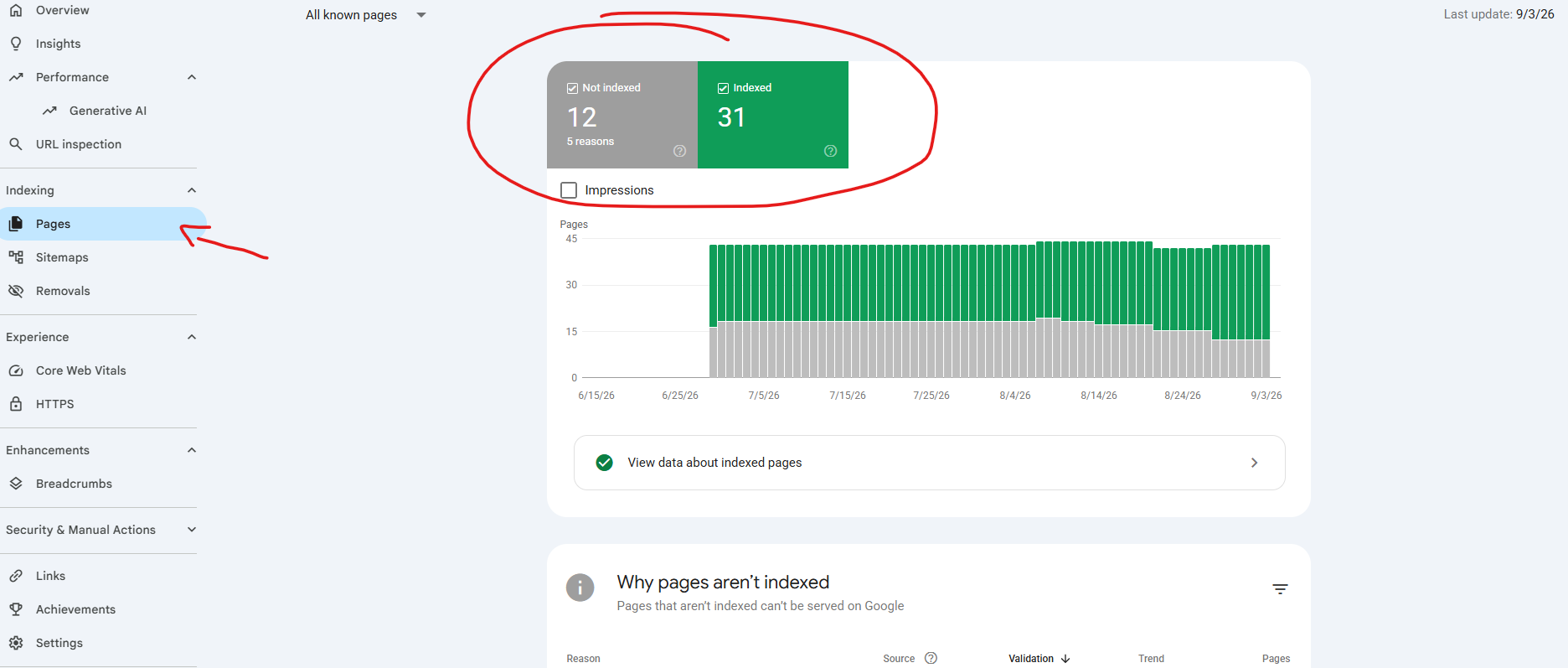
Then select the Pages tab.
This will show you which pages Google is currently displaying for that particular search.
This is an important step because you may discover that you already have a relevant page.
If that’s the case, creating another page about almost exactly the same subject may not be the best SEO strategy.
Instead, you may want to improve the existing page by:
- Adding more useful information
- Answering related questions
- Improving the heading structure
- Adding examples
- Updating outdated information
- Adding internal links
- Making the page easier to read
But if Google is ranking a loosely related page simply because you don’t have anything better, you may have found a great opportunity for a new piece of content.
Step 5: Look for Questions Your Potential Visitors Are Asking
Pay special attention to searches containing words such as:
- How
- What
- Why
- When
- Where
- Can
- Should
- Does
These types of searches can make excellent blog posts and FAQ content because they tell you exactly what potential customers want to know.
For example, a roofing company might discover searches such as:
- How long does a roof last?
- Should I repair or replace my roof?
- Why is my roof leaking around the vent pipe?
- Can you replace a roof in the winter?
Instead of sitting down and trying to brainstorm random blog topics, Google Search Console is showing you questions people are already asking.
Step 6: Look for “Striking Distance” Keywords
Another useful strategy is to look for keywords where your website is already ranking relatively well, but isn’t quite reaching the top search results.
For example, queries with an average position somewhere around 8 through 20 can be worth investigating.
You’re already close.
Improving an existing page or creating a more focused resource may help move your website higher in the search results.
These are sometimes called “striking distance keywords” because your website may already be within reach of stronger visibility.
Keep in mind that average position is only one metric. Search rankings vary based on location, device, personalization, and other factors.
Step 7: Don’t Just Chase High-Volume Keywords
One mistake businesses make with SEO is focusing only on keywords with huge search volumes.
Smaller and more specific searches can be extremely valuable.
Someone searching:
“marketing”
could be looking for almost anything.
Someone searching:
“how to track phone calls from Google Business Profile”
has a very specific problem.
If your business provides a solution to that problem, the smaller search can potentially be much more valuable.
This is especially important for local and service-based businesses.
You don’t necessarily need thousands of website visitors.
You need the right visitors.
Step 8: Group Similar Search Queries Into One Strong Article
Don’t look at every keyword individually.
Look for patterns.
You may discover 10 or 20 different searches that are really asking variations of the same question.
For example:
- how long does a roof last
- average lifespan of asphalt roof
- when should you replace a roof
- how often do roofs need replacing
These probably don’t need four separate articles.
They could all be addressed within one useful article about how long a roof lasts and when homeowners should consider replacing it.
Creating one thorough resource is generally more useful than publishing multiple thin pages that answer almost the same question.
Google Search Console Gives You Something Keyword Research Tools Can’t
Traditional keyword research tools can be extremely useful.
But Google Search Console has one major advantage:
It’s your data.
It isn’t simply estimating what your website could potentially rank for.
It’s showing you searches where Google is already displaying your website.
That’s why Google Search Console is one of the first places to look when developing an SEO content strategy for an established website.
Google may already be giving you clues about what it thinks your website is relevant for.
You just have to look at the data.
Don’t Create Content Just for Google
Finding a keyword doesn’t automatically mean you should write an article about it.
Before creating content, ask yourself:
- Is this topic relevant to my business?
- Would someone searching for this potentially become a customer?
- Can I provide a genuinely useful answer?
- Does this topic support one of the products or services we offer?
- Do we already have a page addressing this topic?
SEO isn’t about getting as much traffic as possible.
It’s about attracting people who are relevant to your business.
Use Internal Links to Connect Your New Content
When you publish a new article, don’t leave it sitting by itself.
Look for opportunities to link the article to relevant service pages and other helpful resources on your website.
You should also look for older articles and pages where it would make sense to add a link back to your new content.
This helps visitors discover related information and gives search engines additional context about how the pages on your website are connected.
Start With the Search Data You Already Have
If your website has been around for a while, you may already have hundreds or thousands of potential content ideas sitting inside Google Search Console.
Start with a simple process:
- Open the Search Results report.
- Review the queries generating impressions.
- Find relevant searches with weaker rankings or low click-through rates.
- Check which page is currently appearing for each search.
- Determine whether you should improve an existing page or create something new.
- Group related searches into useful, comprehensive content.
Need Help Turning Search Console Data Into an SEO Strategy?
At Jaber Marketing, we use real search data to help businesses determine what their potential customers are searching for, where their websites already have opportunities, and what content makes sense to create next.
Instead of publishing content and hoping it ranks, we can use Google Search Console, analytics, keyword research, and your existing website performance to build a more focused SEO strategy.
Contact Jaber Marketing to discuss your website, SEO strategy, and opportunities for growth.